Intake & onboarding
Patient intake
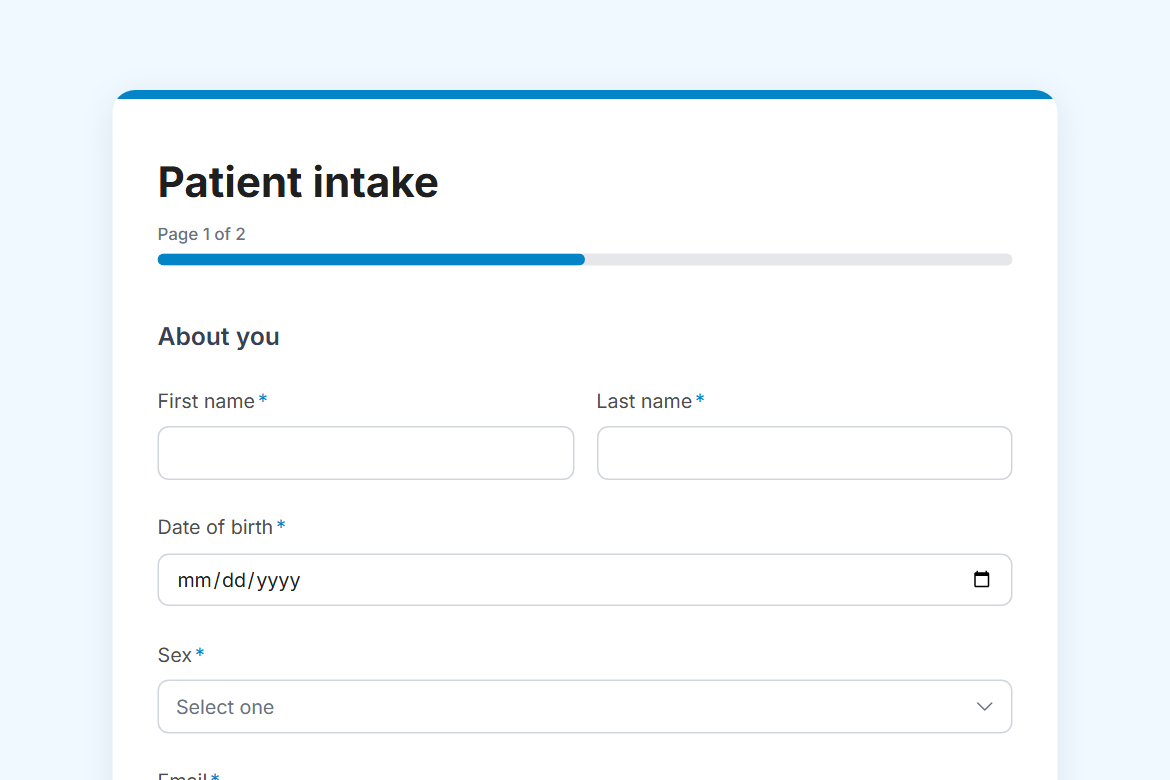
A new-patient form for clinics and practices: personal details, emergency contact and insurance, then medical history, medications, allergies and consent.
What is in the form
Page 1: About you
- First name
- Last name
- Date of birth (date)
- Sex (dropdown)
- Phone
- Home address (address)
- Emergency contact
- Their phone
- Insurance provider
- Policy or member number
- Your regular doctor or practice, if any
Page 2: Medical history
- What brings you in? (long answer)
- Have you been diagnosed with any of these? (pick any)
- Current medications and supplements (long answer)
- Allergies (long answer)
- Past surgeries or hospital stays, with approximate dates (long answer)
- Do you smoke? (one of 4)
- Alcohol (one of 4)
- Are you, or could you be, pregnant? (yes or no)
- I consent to examination and treatment, and confirm the information above is accurate. (yes or no)
- I have read the practice’s privacy notice and agree to my information being used to provide my care. (yes or no)
It opens with a welcome screen (“New patient form”) and ends with a thank-you message you can edit.
After someone submits
This template comes without a workflow. Responses land in your dashboard, and you can add a step in the workflow editor: an approval by email, a post to Slack or Teams, a row in Notion or Airtable, or a webhook.
Make it yours
Change anything in the builder: nothing goes live until you publish.